Skip Navigation

InitialsDiceBearhttps://github.com/dicebear/dicebearhttps://creativecommons.org/publicdomain/zero/1.0/„Initials” (https://github.com/dicebear/dicebear) by „DiceBear”, licensed under „CC0 1.0” (https://creativecommons.org/publicdomain/zero/1.0/)S
Posts
5
Comments
83
Joined
10 mo. ago

  • Thanks for sharing! This APP looks very interesting for non tech people

  • Even for M1 MacBooks Asahi does not support things like Thunderbolt, DP Alt Mode, Fingerprint Reader, etc. Also Power management is still a problem because Apple doing things differently then other ARM devices. https://asahilinux.org/docs/platform/feature-support/m1/

    If I am Buying a 2000€+ Laptop I want everything to work. Not flawlessly, but at least working. And Asahi is not there. That's what I mean with "not suitable as a daily driver". If this is good enough for someone, thats fine. I am happy for them and they should enjoy their device. But most other people buying such laptops would not be happy.

  • In my experience Power Management is broken on Windows and Linux the same way. Some laptops do work better then others, but none of both Systems works fully reliable. My work HP Elitebook 845 G8 also has the problem of waking itself up in my backpack and boiling to Death (empty Battery). And it is running on Windows.

    Don't know if Apple with their MacBooks have similar problems.

  • Good question. Don't know. Would need to ask the Framework Forums for some clarification.

  • This dock does not fix any of the problems I mentioned. It is (like all the others) just a simple metall plate with a PCIe and OcuLink Connector...So again a flimsy solution for tinkerers at best.

    Thunderbolt 5 is, from a Performance point of view, a rather inferior solution compared to OcuLink performing in a lot of cases worse. See the testing results from "Try some tech": https://www.pcgameshardware.de/screenshots/1020x/2025/10/Thunderbolt-5-vs-Oculink-Youtube-Try-Some-Tech-pcgh.jpg Therefor I would rather take the Downside of a non-Hot-plug solution like OcuLink. But I want a proper Docking solution for a Desk and not this "bare metal" stuff we have right now.

  • As long as Asahi does not support the M5 this is not an option. And since it will always be lacking behind due to the need of reverse engineering everything it is not a suitable daily Driver. But it is a cool project nevertheless.

  • Since the last response in the linked thread is quite old I think we have to revisit this in 2026. I hope that the latest update to GNOME 50 solved this. On my 34" 3440x1440 Display 1x scaling is just fine. But I guess this could be different on 2880 x 1920 on a 13.5" Screen.

  • Let's hope that "Ubuntu certified" means that all the Hardware and its Firmware is propperly working. But to be 100% sure we will need to wait for the first units to ship and some reviews.

  • Is there a proper Desk Solution for OcuLink target available on the market?

    Everything that I saw is rather flimsy:

    • No proper mounting for the GPU to keep it securely in place
    • No enclosure to protect it from outside effects (cat putting its Paq into the Fan)
    • Need to "trick" the ATX/SFX PSU into supplying power by jumpers
  • Just out of curiosity: What is it that you actually need HDR for in a professional context? Movie/Film making? Because apart from that I only see HDR used in media consumption related topics (playing Games, watching 4K HDR movies).

  • Linux @lemmy.ml

    Framework announced the Framework 13 Pro with full Linux compatibility from the Start

    frame.work /de/de/laptop13pro
  • Thanks for linking the project. I am using it myself since years. But it is good to spread the word.

  • Still need to wait for more details on what Netgear agreed on with the FCC to get the conditional approval. Otherwise it is hard to evaluate if this is a good or bad thing.

  • Let's see on SteamOS if I can see some improvements when Valve ships SteamOS 3.7.20 update.

  • Me personally I am using a Lenovo Yoga 370 (don't know what an update to date comparable model from Lenovo would be) with GNOME as DE. For PDF annotations I mainly use Xournal++, which works quite well for annotating PDF's and highlighting certain parts. You can get more information in the Xournal++ Documentation at https://xournalpp.github.io/guide/pdfs/

  • As soon as the kids get smart enough to circumvent such measures, they hopefully know their way arround the Internet

  • This is something very important: Don't focus on aplications (FOSS or not) but on open data formats and proper import/export mechanisms so you can switch applications easily.

  • I like the growing support for devices besides Valves Steam Deck and the Lenovo Legion Series.

  • Open Source @lemmy.ml

    Tool/Website to track donations

  • Technology @lemmy.world

    MCP's disregard for 40 years of RPC best practices

    julsimon.medium.com /why-mcps-disregard-for-40-years-of-rpc-best-practices-will-burn-enterprises-8ef85ce5bc9b
  • Gaming @lemmy.ml

    AMD is going to Skip new Feature Support for RDNA 2 and RDNA 1 starting AMD Software Adrenalin Edition 25.10.2
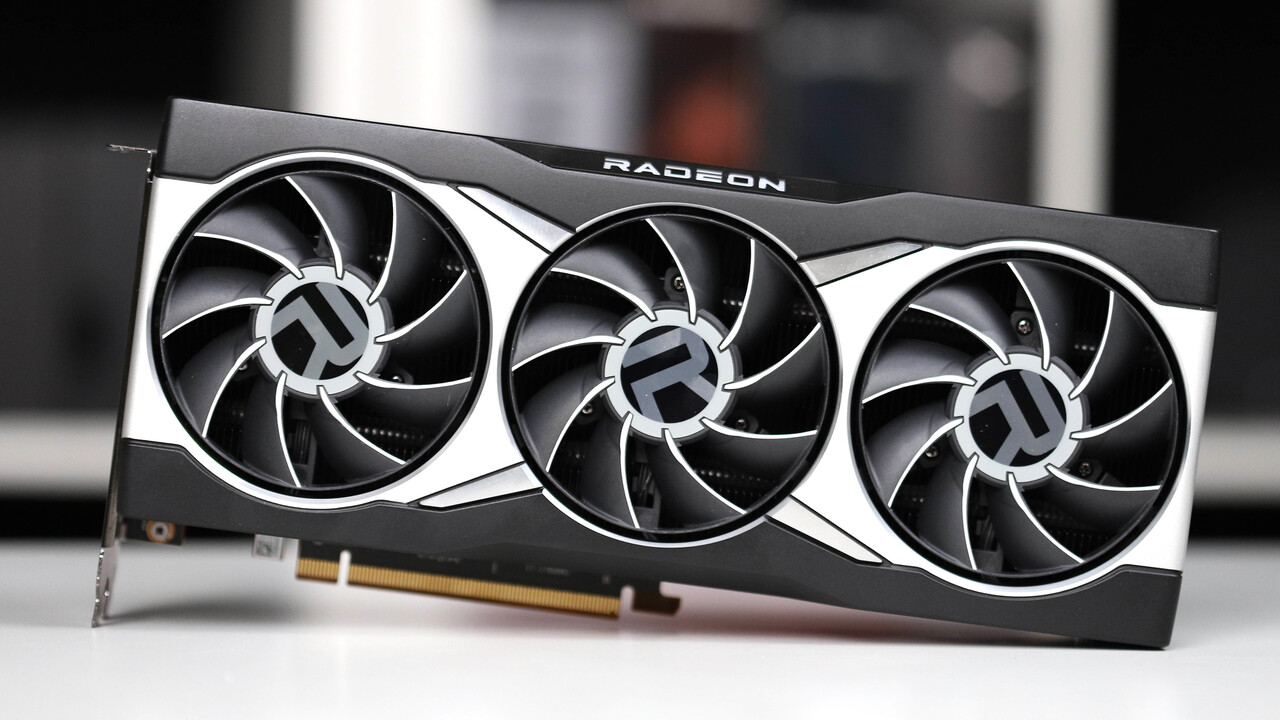
    www.computerbase.de /news/grafikkarten/fsr-4-auf-rdna-2-vom-tisch-amd-versetzt-radeon-rx-5000-und-6000-in-den-vorruhestand.94862/
  • Linux Gaming @lemmy.world

    AMD is going to Skip new Feature Support for RDNA 2 and RDNA 1 starting AMD Software Adrenalin Edition 25.10.2

    www.computerbase.de /news/grafikkarten/fsr-4-auf-rdna-2-vom-tisch-amd-versetzt-radeon-rx-5000-und-6000-in-den-vorruhestand.94862/